



How to Install Python on Debian 11: A Beginner's Guide


 11m
11m
 0 comments
 Print
Print
If you’re a new developer or looking to create a clean, professional development environment on Debian 11, installing Python properly is the first step to getting started. The good news is that Debian is a very stable and standard operating system, and installing Python on it isn’t complicated if you know exactly what to do, in this article, I’ll explain all the steps in a simple, understandable, and real-world way, so that even if it’s your first time, you can still get started without any stress, explore more on our website.
Key Features of Python
Regardless of the version you install, Python always offers a set of important features that have made it one of the most popular and useful programming languages in the world, below, we will mention the most important general features of Python so that you can better understand why choosing this language for all types of projects makes sense.
1- Simplicity
One of the best features of Python is its simplicity in writing and its readable structure, even people who are new to the world of programming can learn Python’s logic and commands in a short time, this simplicity increases the speed of development.
2- Libraries for every type of application
Python has a library ready for almost every field, from web development and automation to data analysis, machine learning, artificial intelligence, networking, and even building security tools, this has made Python a powerful language.
3- Usable in various projects
Python is not limited to a specific branch and can be used in small, medium-sized projects, and even large systems, and this has made Python a prominent presence in companies, startups, the data field, scientific research, DevOps, and many other sectors.
4- Community support
Few languages can be found whose user community is as active as Python, this means that for any problem, question, or challenge, there are usually ready-made solutions and rich documentation that simplify the development process.
5- Performance improvements in different versions
Python offers significant improvements in speed, memory consumption, and error handling in each new version, so regardless of the version you choose, you can use a stable, powerful, and optimized experience.
6- Support for Virtual Environments
Virtual environments are one of the main reasons why the Python ecosystem is so professional, they help you keep projects separate and prevent library versions from clashing, this feature is very important and useful for developers.
Prerequisites
Before you begin, make sure that:
- – You have Debian 11 or 10
- – You have SSH access
- – There is a user with sudo access
- – You have a few minutes to spare
Now let’s get to the point.
Step 1: Update Debian Repositories
The first step should always be to update your system to avoid strange issues.
sudo apt update
After the update, you can move on to the next step.
Step 2: Install the dependencies required to build Python
New versions of Python are usually installed from source and require a number of tools and libraries.
sudo apt install build-essential zlib1g-dev libncurses5-dev libgdbm-dev libnss3-dev libssl-dev libreadline-dev libffi-dev libsqlite3-dev wget libbz2-dev
This step is very important because if you don’t do it, you will encounter errors during the compilation process.
Step 3: Install Python
Debian comes with Python 3.9 by default:
sudo apt install python3 -y
But if you want another version of Python, you need to download it manually.
Download Python from the official website
wget https://www.python.org/ftp/python/3.14.0/Python-3.14.0.tgz
Extract the downloaded file:
tar -xvf Python-3.14.0.tgz
Enter the folder:
cd Python-3.14.0
Check dependencies and prepare to build Python:
sudo ./configure --enable-optimizations
Compile (this part takes time):
sudo make -j 2
Install the new version:
sudo make altinstall
At this point, Python 3.14 is installed.
Step 4: Verify installation
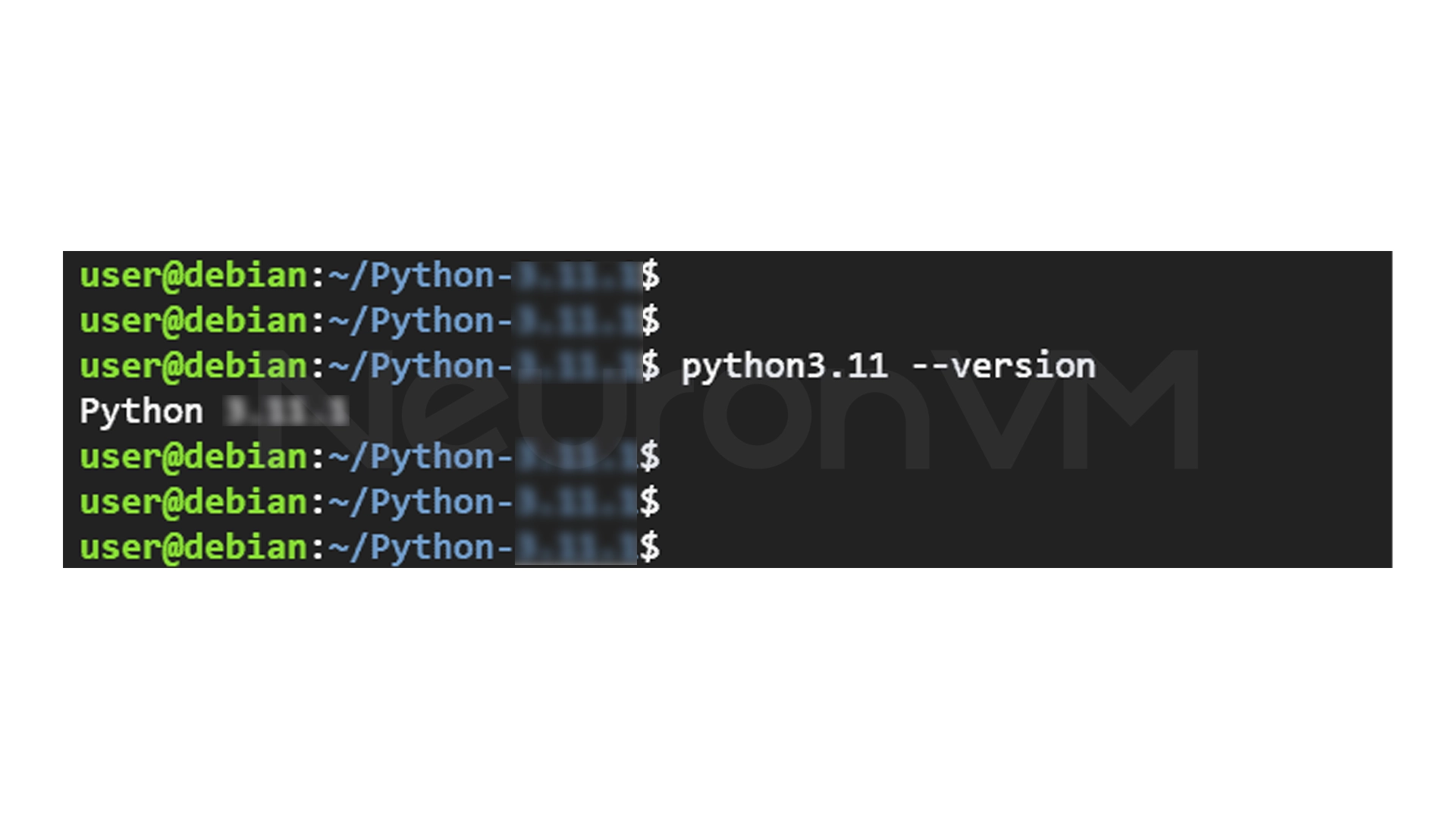
To ensure successful installation:
python3.14 -V
If the output looks like this, everything is OK:
Python 3.14.0
Step 5: Install PIP (Python Package Manager)
PIP is a tool for installing Python libraries.
sudo apt install python3-pip
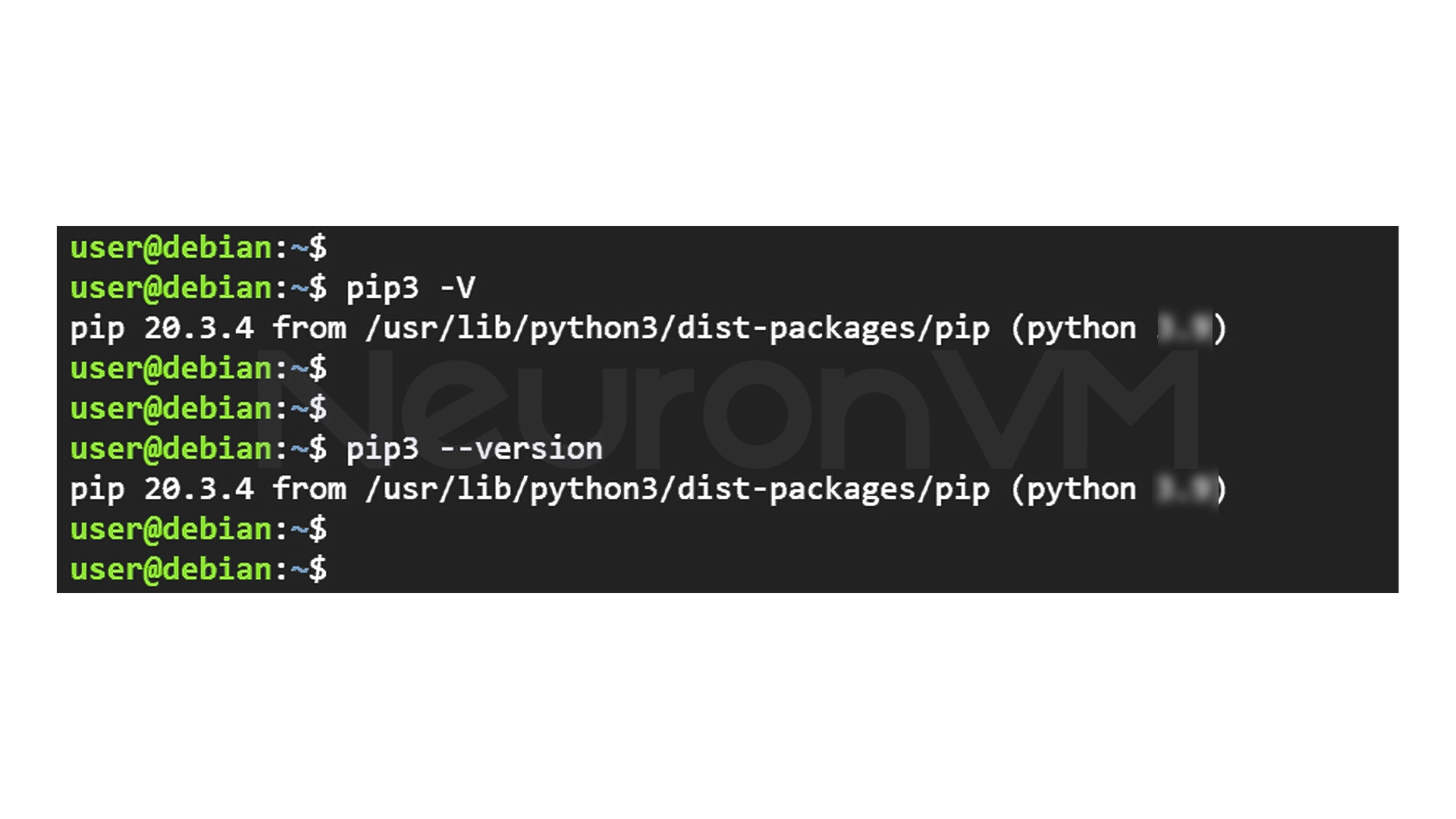
Verify version:
pip3 -V
or
pip3 --version
Step 6: Create a Virtual Environment (Optional but Very Important)
When working on multiple projects, venv helps to prevent different versions of libraries from conflicting.
Install the venv build tool:
sudo apt install python3-venv -y
Create a folder for the project:
mkdir test_directory
cd test_directory
Create a virtual environment:
python3 -m venv my_environment
Activate the environment:
source my_environment/bin/activate
Now you will see the environment name next to the terminal:
(my_environment) user@debian:~$
Deactivate the environment:
deactivate
Step 7: Run your first Python program
Create a simple file:
nano simple_program.py
Write the code:
num1 = float(input("Enter the first number: "))
num2 = float(input("Enter the second number: "))
total = str(num1 + num2)
print("The sum of two numbers is: " + total)
Run the program:
python simple_program.py
My Experience Install Python on Debian 11
When I first started installing Python on Debian 11, I expected to encounter a lot of errors, incompatibilities, or missing packages. But the truth is that Debian, despite its dry and simple appearance, is one of the most stable environments I have ever worked with.
The thing that helped the most was installing the dependencies correctly before building Python if you skip this step, you will encounter annoying errors when running configure or make, from my own experience, installing newer versions like Python 3.11 is really worth it especially if you have projects where code execution speed is important. The speed difference between the new and old versions is quite noticeable, Also, creating a virtual environment (venv) makes life much easier, you no longer have to deal with library version conflicts or different projects breaking, overall, once you follow the steps carefully, installing Python on Debian next time will become a routine and hassle-free task.
Conclusion
Installing Python on Debian 11 is neither complicated nor time-consuming, as many people think, you just need to follow a few simple steps in order: update your system, install dependencies, download and build your desired Python version, install pip, and set up virtual environments, this will make your system ready to run any type of project, from simple scripts to heavy-duty applications Debian is a powerful combination for developers due to its high stability, along with Python as a fast and modern version, if you follow these steps step by step, you will have a clean and professional development environment that will work for you for years without any problems.
 Tags
Tags

 Frequently Asked Questions
Yes, a version of Python is installed by default on Debian 11, but the newer version that many developers need usually needs to be installed manually.
Yes, it is possible to install multiple versions without disrupting the main version of the system, only each version can be run with a separate name.
This is because Python requires some basic libraries to run properly, and if they are missing, the installation process may encounter errors.
Because new versions of Python are usually registered with a different name and you have to run the same version name.
You might like it
cPanel Tutorials
Troubleshooting cpanel dnsonly doesn't work

Windows Tutorials
How to Enable AMD-V in Security Policy Windows 11
Almalinux Tutorials
How to Install and Enable the EPEL Repository on AlmaLinux