


CSF Firewall on Debian 10: Installation & Configuration


 7m
7m
 0 comments
 Print
Print
If you’ve been working with servers for a long time, you’ve probably heard of CSF (ConfigServer Security & Firewall). It’s a powerful, simple, and incredibly reliable firewall that many server administrators prefer to use instead of UFW or even raw iptables. I’ve installed CSF Firewall on Debian 10 many times myself, and I’ve always come to the same conclusion: if configured correctly, it takes server security several notches higher. In this tutorial, the installation steps are exactly as standard, but the explanations, tips, and experiences I’ve added are the ones that will make installing and using CSF a breeze for you, just on our website.
Step 1: Installing CSF on Debian
First of all, we need to install a few prerequisites. If you skip this part, CSF will usually give an error during the execution phase.
1- Update packages
sudo apt update
2- Install required dependencies
These packages are required for CSF to run properly:
sudo apt install wget libio-socket-ssl-perl git perl iptables libnet-libidn-perl libcrypt-ssleay-perl libio-socket-inet6-perl libsocket6-perl sendmail dnsutils unzip
My experience: If even one of these packages is not installed, CSF will give an error later on when starting, especially on freshly installed systems.
Download CSF
Since CSF is not in the official Debian repositories, we have to install it manually.
wget http://download.configserver.com/csf.tgz
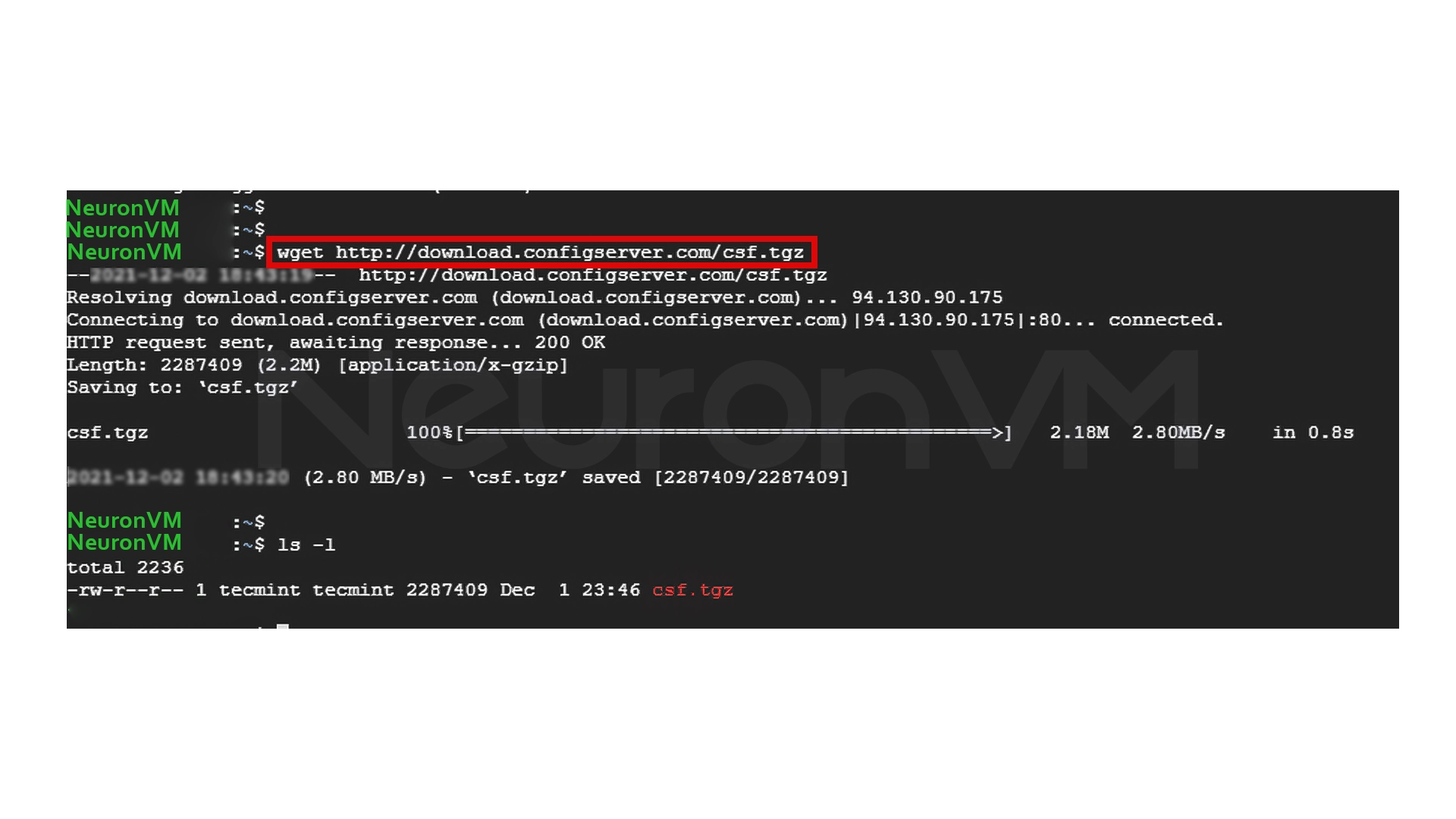
The downloaded file is a compressed package named csf.tgz.
Extract the file
tar -xvzf csf.tgz
This creates a folder called CSF.
ls-l
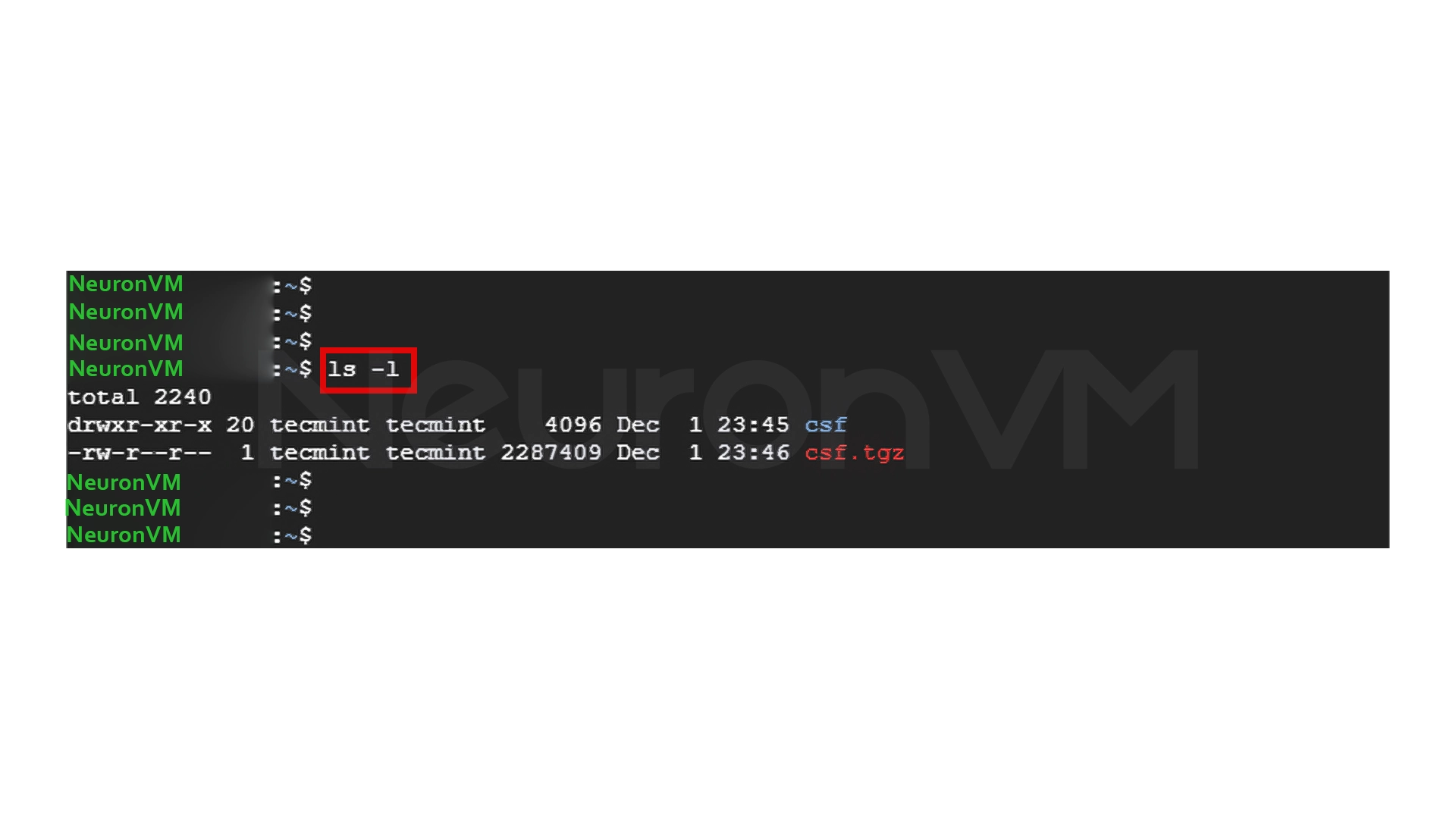
Go into the CSF folder
cd csf
Start the installation with the script
sudo bash install.sh
If everything went well, you will see a message that the installation was successful.
Initial CSF test
To make sure that all iptables modules are loaded correctly:
sudo perl /usr/local/csf/bin/csftest.pl
If the output is OK, the server is ready to run CSF.
Step 2: Configure CSF (Very Important)
After installation, CSF is not yet enabled. You need to make some important settings in its main file.
Open the config file
sudo nano /etc/csf/csf.conf
1- Exit TESTING mode
If this option is set to 1, CSF is not actually enabled.
TESTING = "0"
2- Restrict access to syslog
This multiplies the security of the server:
RESTRICT_SYSLOG = "3"
3- Open/close the required ports
There are four important sections:
- TCP_IN
- TCP_OUT
- UDP_IN
- UDP_OUT
For example, if you only need ports 22, 80, and 443, it is better to clear the rest.
Important experience: Every unnecessary port = an additional security risk, Always keep the ports that you are exactly using.
Restart CSF to apply settings
sudo csf -r
View all rules
sudo csf -l
Enable CSF on boot
sudo systemctl start csf

sudo systemctl enable csf
Check status
sudo systemctl status csf
Step 3: IP Management (Allow / Deny / Ignore)
One of the best parts of CSF is the easy IP management.
1- Block IP
Open the Deny file:
sudo nano /etc/csf/csf.deny
Example of blocking:
192.168.100.50

192.168.100.120
Block the entire Subnet:
192.168.100.0/24
2- Allow (Whitelist)
Allow file:
sudo nano /etc/csf/csf.allow
Important note: If an IP is in both allow and deny, allow takes precedence.
3- Ignore IPs
This will prevent the IP from being restricted by any filter.
sudo nano /etc/csf/csf.ignore
My personal experience with CSF Firewall on Debian 10
Over the years of using servers, CSF has always been the best balance between security and simplicity for me.
A few important experiences:
CSF runs very lightly on Debian and uses very few resources.
If you enter the wrong ports, you will be locked out of the server!
Always leave SSH in the open list before restarting CSF.
The IP Allow and Deny files are exactly what a server administrator always wishes for.
If the number of attacks on the server is high, CSF reacts more intelligently than UFW.
Conclusion
CSF is one of the best firewalls for Debian 10, it is simple, powerful, and flexible. If you follow the installation and configuration steps correctly, your server’s security level will be increased. This tutorial covers all the required steps + practical tips + necessary configurations to install and use CSF without any hassle.
 Tags
Tags

 Frequently Asked Questions
Yes, CSF is fully compatible with Debian 10 and is considered one of the best and most reliable firewalls for this operating system.
Be sure to set the TESTING=0 value in the config file to enable CSF for real.
CSF always prioritizes IPs in allow; that is, that IP will not be blocked.
You might like it

![How to Install Webmin on Ubuntu 21.04 [Full Tutorial]](https://neuronvm.com/wp-content/uploads/2025/10/Install-Webmin-on-Ubuntu-21.webp)